Python Exception & Error Handling
Errors and exceptions can cause unexpected behavior or even cause a program to stop running. Python provides a number of functions and mechanisms for dealing with these issues and improving code robustness. An error is a problem in a program that prevents it from completing its task. In contrast, an exception is a condition that disrupts the program’s normal flow. Both errors and exceptions are types of runtime errors that occur during the execution of a program. Two types of errors occur in Python.
- Syntax Errors
- Logical Errors (Exceptions)
Syntax Errors
This type of error occurs when the code’s syntax is incorrect. It terminates the program. This is usually due to a programming error. Syntax errors cannot be predicted or handled. Programmers can remove them manually by reviewing the code.
Observe the following example:
- print( 10 / 5 ))
output:
File “<stdin>”, line 1
print( 0 / 0 ))
^
SyntaxError: invalid syntax
The arrow indicates the location of the syntax error encountered by the parser. In this case, there was one extra bracket. Remove it and run your code again.
- amount = 10000
if(amount>2999)
print(“You are eligible to purchase Dsa Self Paced”)
output:
File “/home/ac35380186f4ca7978956ff46697139b”, line 4
if (amount>2999)
^
SyntaxError: invalid syntax
It returns a syntax error message because there is no colon: after the if statement. Writing the proper syntax will help us to fix this.
Logical Errors (Exceptions)
An exception occurs when the code is syntactically correct but produces an error due to internal events. It does not stop the execution, but it changes the normal flow of the program. Usually, these are non-fatal logical errors that user programs can fix. Run-time exception handling techniques allow programmers to manage exceptions.
Take a look at the following example:
- # initialize the amount variable
marks = 10000
# perform division with 0
a = marks / 0
print(a)
output:
Traceback (most recent call last)
File “/home/f3ad05420ab851d4bd106ffb04229907.py”, line 4, in <module>
a=marks/0
ZeroDivisionError: division by zero
In the above example the ZeroDivisionError as we are trying to divide a number by 0.
- #When indentation is not correct.
if(a<3):
print(“gfg”)
output:
File “/home/959e778cc1b15563df98d2e1e26f92e6.py”, line 2
print(“gfg”)
^
IndentationError: expected an indented block
Exception Handling
We know that exceptions abnormally terminate the execution of a program.
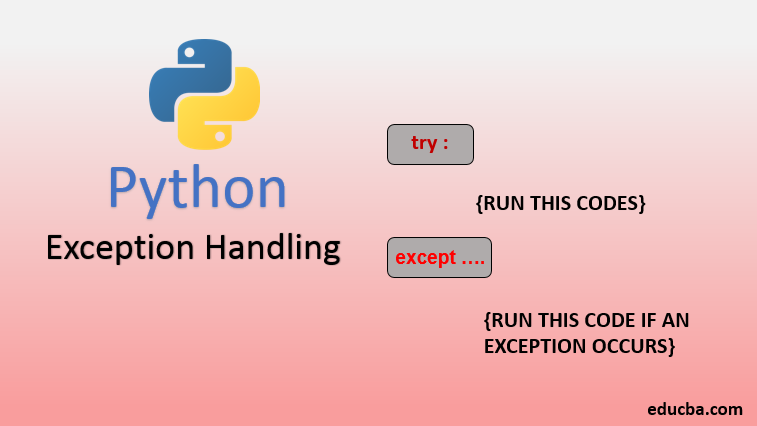
This is why it is important to handle exceptions. In Python, we use the try…except block
Try => run the code
Except => execute the code when there is an exception
Examples:
- #The try block will generate an error, because x is not defined:
try:
print(x)
except:
print(“An exception occurred”)
output:
An exception occurred
Since the try block raises an error, the except block will be executed. Without the try block, the program will crash and raise an error.
- #The try block will generate a NameError, because x is not defined:
try:
print(x)
except NameError:
print(“Variable x is not defined”)
except:
print(“Something else went wrong”)
Output:
Variable x is not defined
You can use the else keyword to define a block of code to be executed if no errors were raised.
- #The try block does not raise any errors, so the else block is executed:
try:
print(“Hello”)
except:
print(“Something went wrong”)
else:
print(“Nothing went wrong”)
output:
Hello
Nothing went wrong
Built-in Python Exceptions
- AssertionError: raised when the assert statement fails.
- EOFError: raised when the input() function meets the end-of-file condition.
- AttributeError: raised when the attribute assignment or reference fails.
- TabError: raised when the indentations consist of inconsistent tabs or spaces.
- ImportError: raised when importing the module fails.
- IndexError: occurs when the index of a sequence is out of range
- KeyboardInterrupt: raised when the user inputs interrupt keys (Ctrl + C or Delete).
- RuntimeError: occurs when an error does not fall into any category.
- NameError: raised when a variable is not found in the local or global scope.
- MemoryError: raised when programs run out of memory.
- ValueError: occurs when the operation or function receives an argument with the right type but the wrong value.
- ZeroDivisionError: raised when you divide a value or variable with zero.
- SyntaxError: raised by the parser when the Python syntax is wrong.
- IndentationError: occurs when there is a wrong indentation.
- SystemError: raised when the interpreter detects an internal error.